Offline Examiner Tracker
For EPO patent examiners — tracks whether you're on target, accounting for your actual vacation days.
Excel · No internet required
Download the tracker and open it in Excel
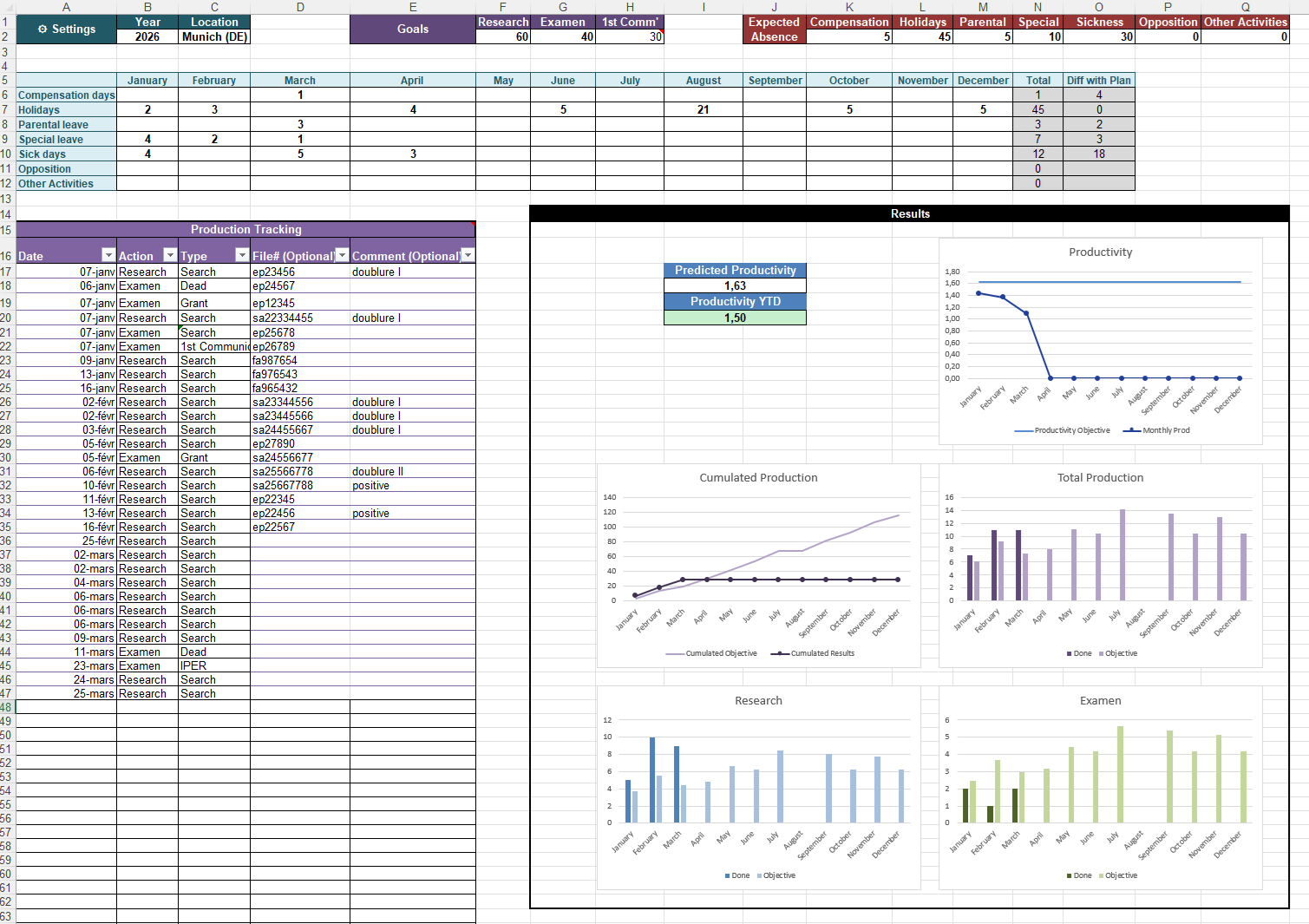
Fill in your settings once — vacation days, yearly goal — and the sheet does the rest. It recalculates your expected productivity daily, so you always know exactly where you stand.
Download Excel Tracker.xlsx · Microsoft Excel or compatible
Vacation-aware
Enter your leave days and the tracker adjusts your expected output — no more flat monthly targets.
Real-time view
Cumulated production, predicted productivity, and YTD score recalculate every time you log an action.
Fully offline
Your data never leaves your machine. No login, no cloud sync, no account needed.
Preview
How to use
- 1
Download — Click the button above and open the file in Microsoft Excel.
- 2
Configure — Set your yearly production goal, location, and enter your planned vacation days in the settings row.
- 3
Log actions — Each day, add your completed actions (Research, Exam, 1st Communication…) to the tracking table.
- 4
Check the dashboard — The Results panel updates automatically — compare your cumulated production against the adjusted objective.
Your files never leave your device. · Compatible with Microsoft Excel 2016 and later.
Download